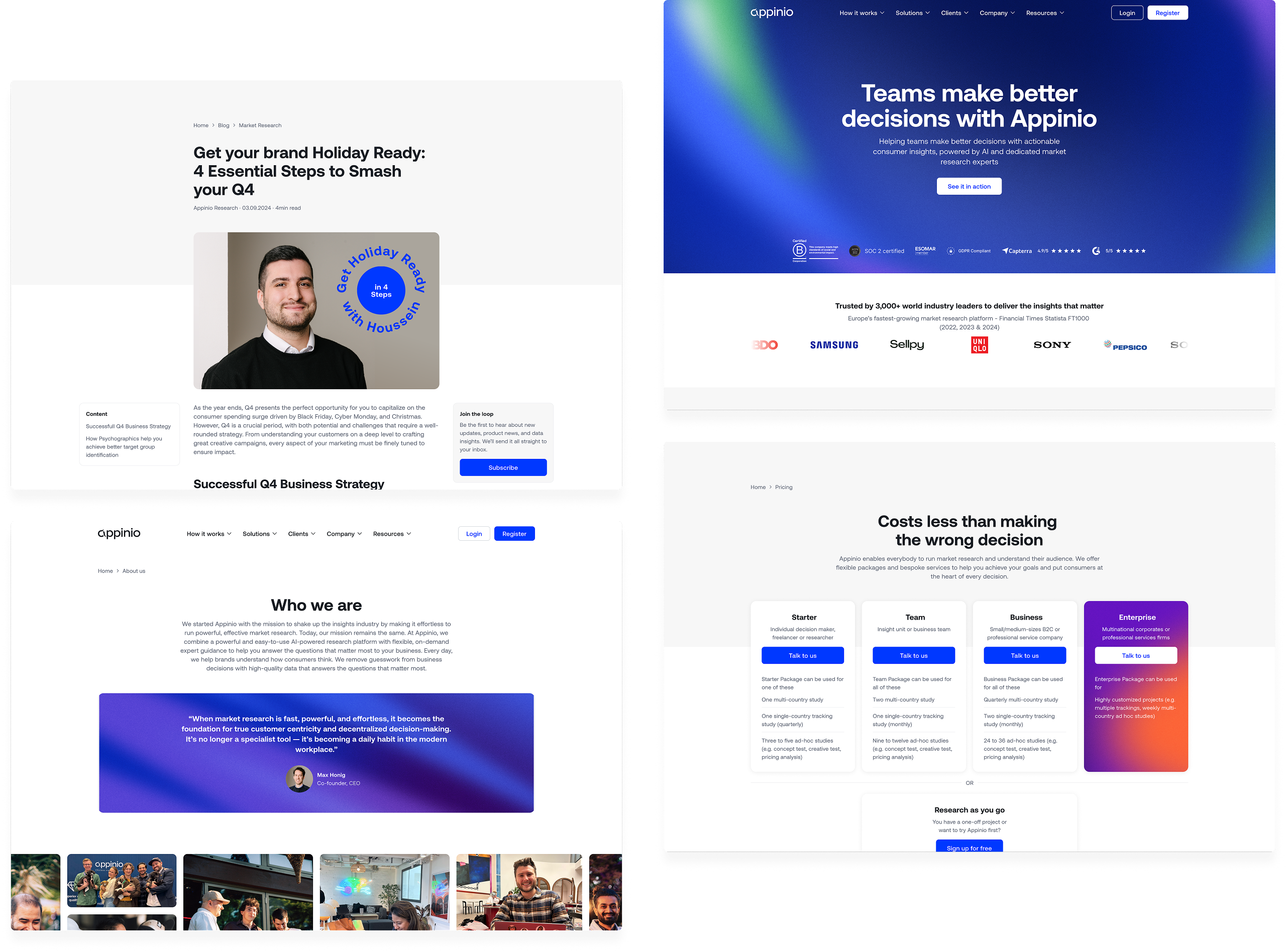
Making market research more accessible
Appinio is a market research platform trusted by 3,000+ clients, from Coca-Cola to Capgemini, used by both DIY researchers and market research professionals to run surveys and get consumer insights. I joined in 2022 as Senior Product Designer, became Product Design Lead in 2024, and I'm the only designer on the core platform – I own it end to end, from early concepts to shipped UI. I also lead a small team of two designers on our Panel App.
Most of my work comes down to designing for that range – making the platform approachable enough for first-time users, without dumbing it down for the experts who use it every day.
Organizing hundreds of projects
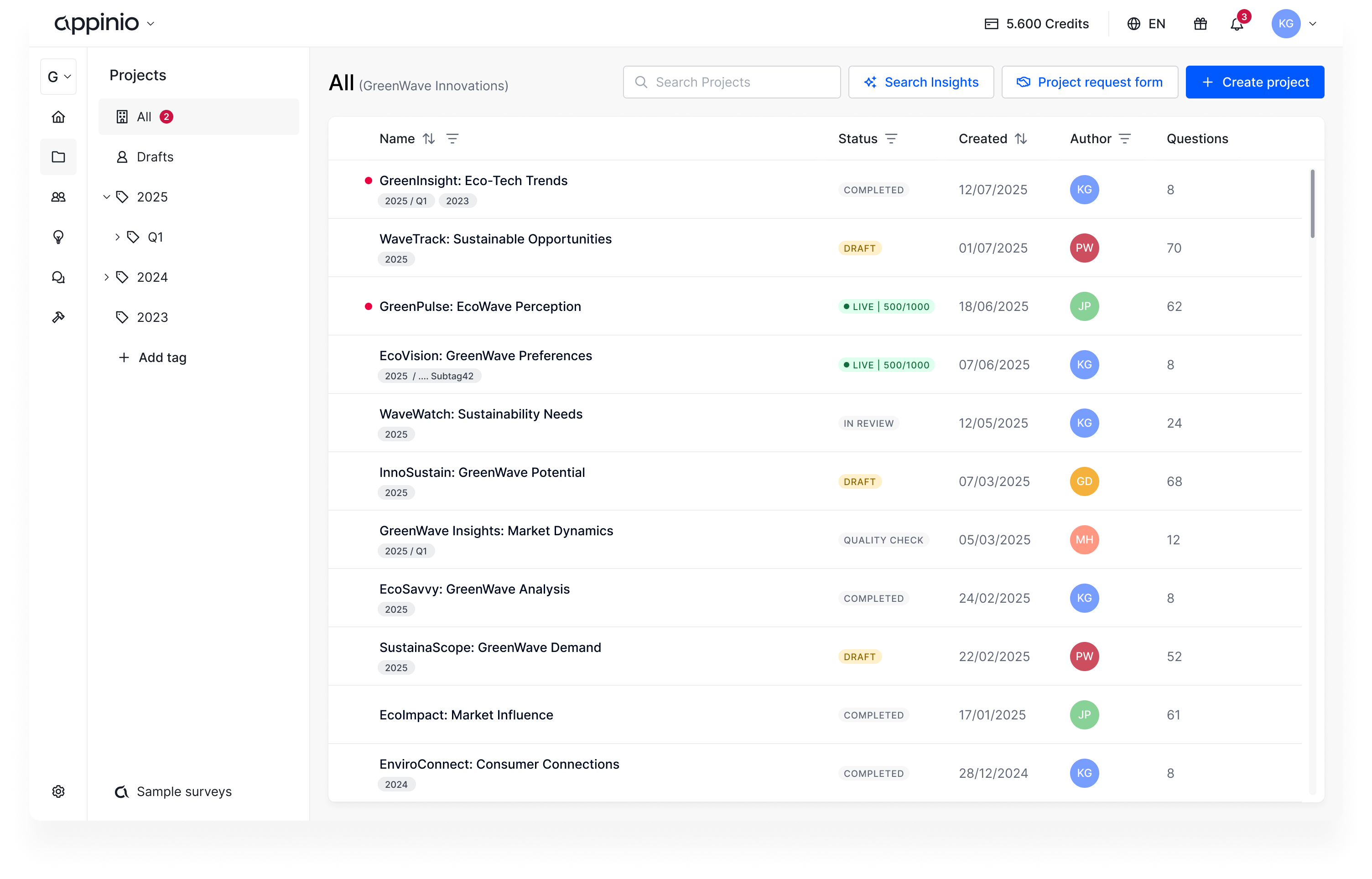
We introduced folders and subfolders – simple and familiar. But folders meant every project could only live in one place, which didn't always match how teams actually organized themselves. The same survey might belong to a client, a quarter, and a campaign, all at once.
We later moved to a tagging system, so a project can have multiple categories assigned to them.
Built for how teams actually work
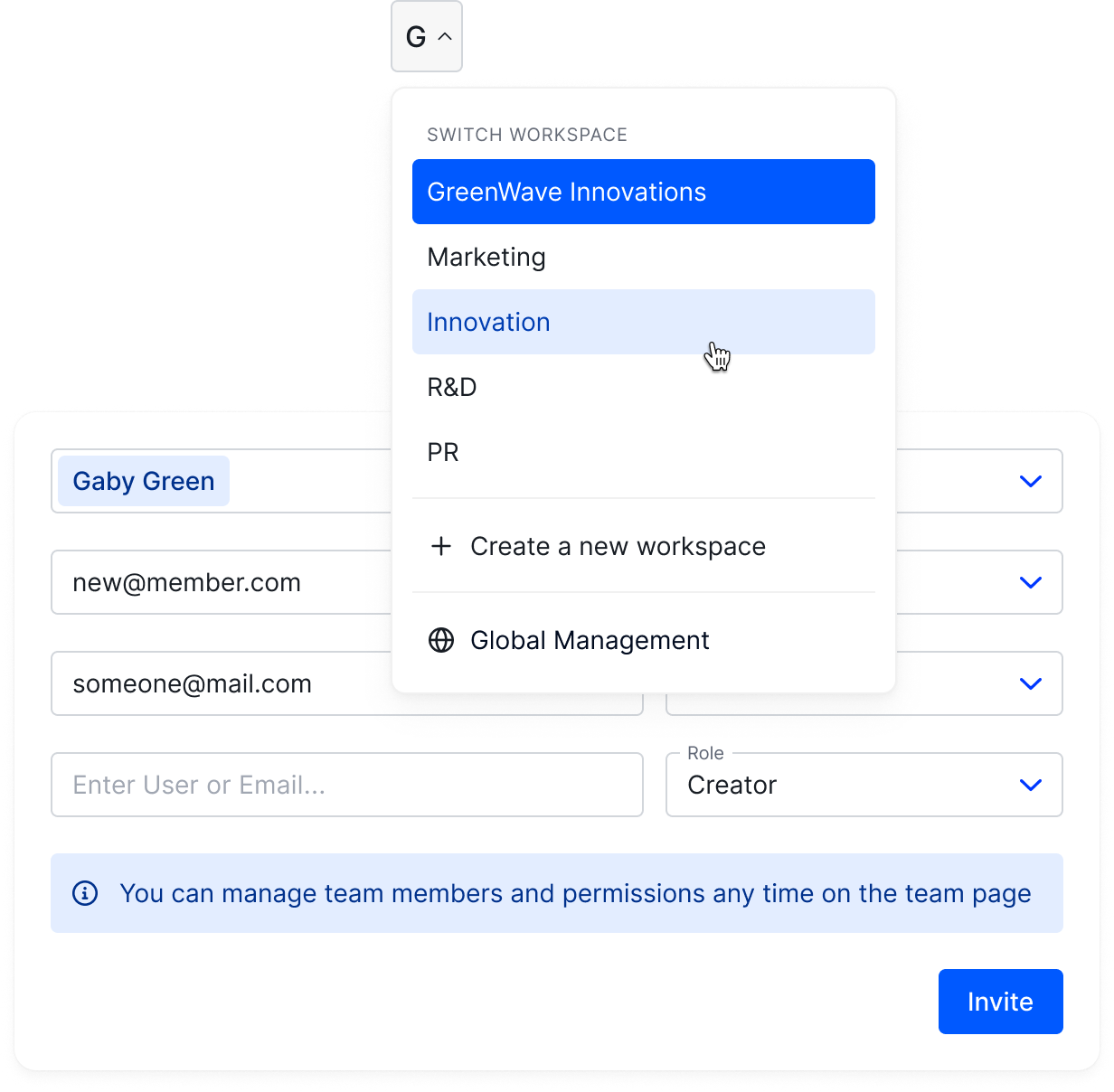
Every client had a single company account holding all their research projects. There was no way to split by department. We added workspaces so companies could organize their account the way they're actually structured.
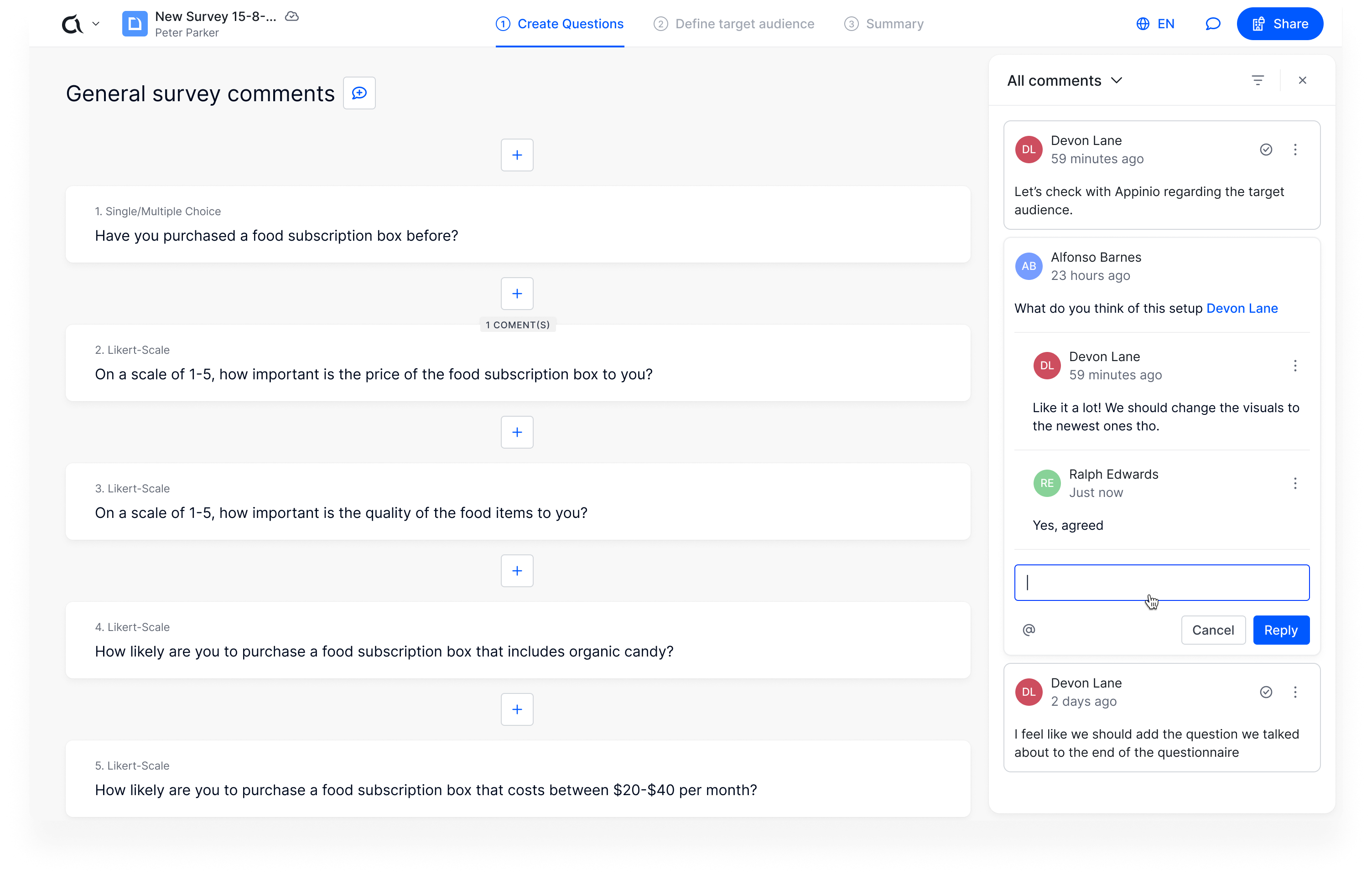
Feedback had a similar problem. Reviewing a questionnaire meant leaving the platform entirely – email, Slack, wherever – disconnected from the actual survey. We added commenting directly in Appinio, so feedback lives next to the thing it's about.
Rebuilding the design system on tokens
Colors across the platform were hardcoded – so supporting something like dark mode would have meant touching almost every component by hand. We rebuilt the design system around a color token system instead, so themes are defined once and applied everywhere. Dark mode was the first real test of that system, and it shipped across the entire platform without a component-by-component rewrite.
From a research goal to a finished questionnaire
Knowing what to ask isn't obvious – even a clear business question doesn't tell you which method fits, or how to structure it into a proper questionnaire. That usually takes research expertise, and not everyone has it. We built a feature that starts from just a goal: describe what you want to find out, and Appinio AI scans our research playbooks and asks a few clarifying questions in a short back-and-forth. From there, it drafts a full questionnaire, ready to review. Once the user is happy with it, they just add their target audience and launch – with AI support still there throughout, to adjust tone, translate, or give feedback before it goes live.
A lighter way to build questionnaires
Our users would draft their questionnaires in Word or other text editors instead of using our platform. Our interface felt too heavy for the early conception phase – requiring too many clicks and configurations right at the start.
To change that, we redesigned the questionnaire experience to feel more like a lightweight text editor – stripping away the clutter so our users can focus entirely on their questions and answers.
The entire builder can now be navigated using just the keyboard, adding questions and answers without ever having to reach for the mouse. All our powerful settings are still there, but they now live in dedicated context menus, staying out of sight until they're actually needed.
Help with every step of building a questionnaire
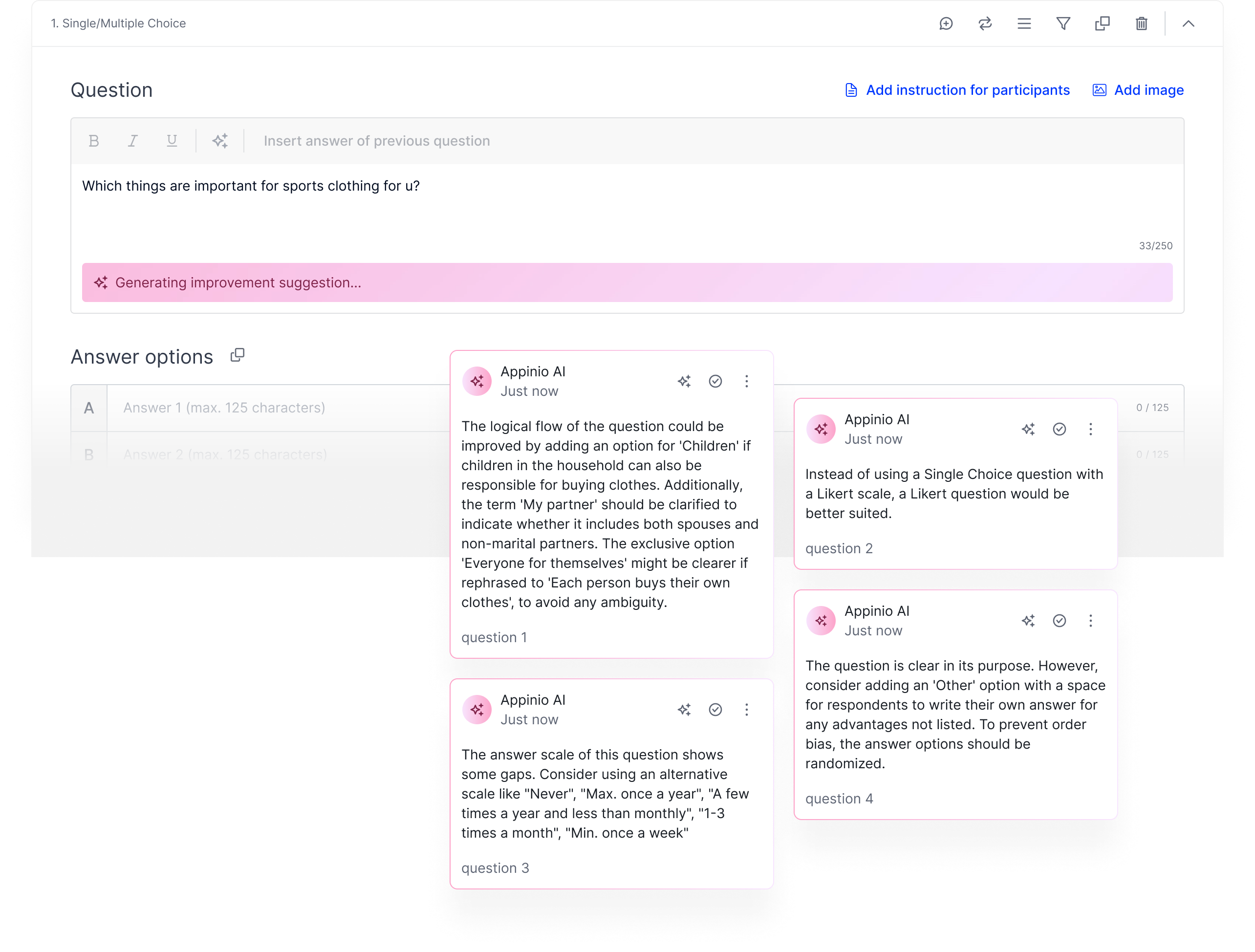
Writing a good survey requires clear wording, avoiding bias, and knowing what to ask next. Not every user has that background, and even experienced researchers want a faster path from idea to finished questionnaire. We built Appinio AI as an assistant you can call on whenever you need it: it suggests sharper question titles, proposes answer options, recommends relevant follow-up questions, and reviews your whole questionnaire before you launch it.
A visualization for every kind of data
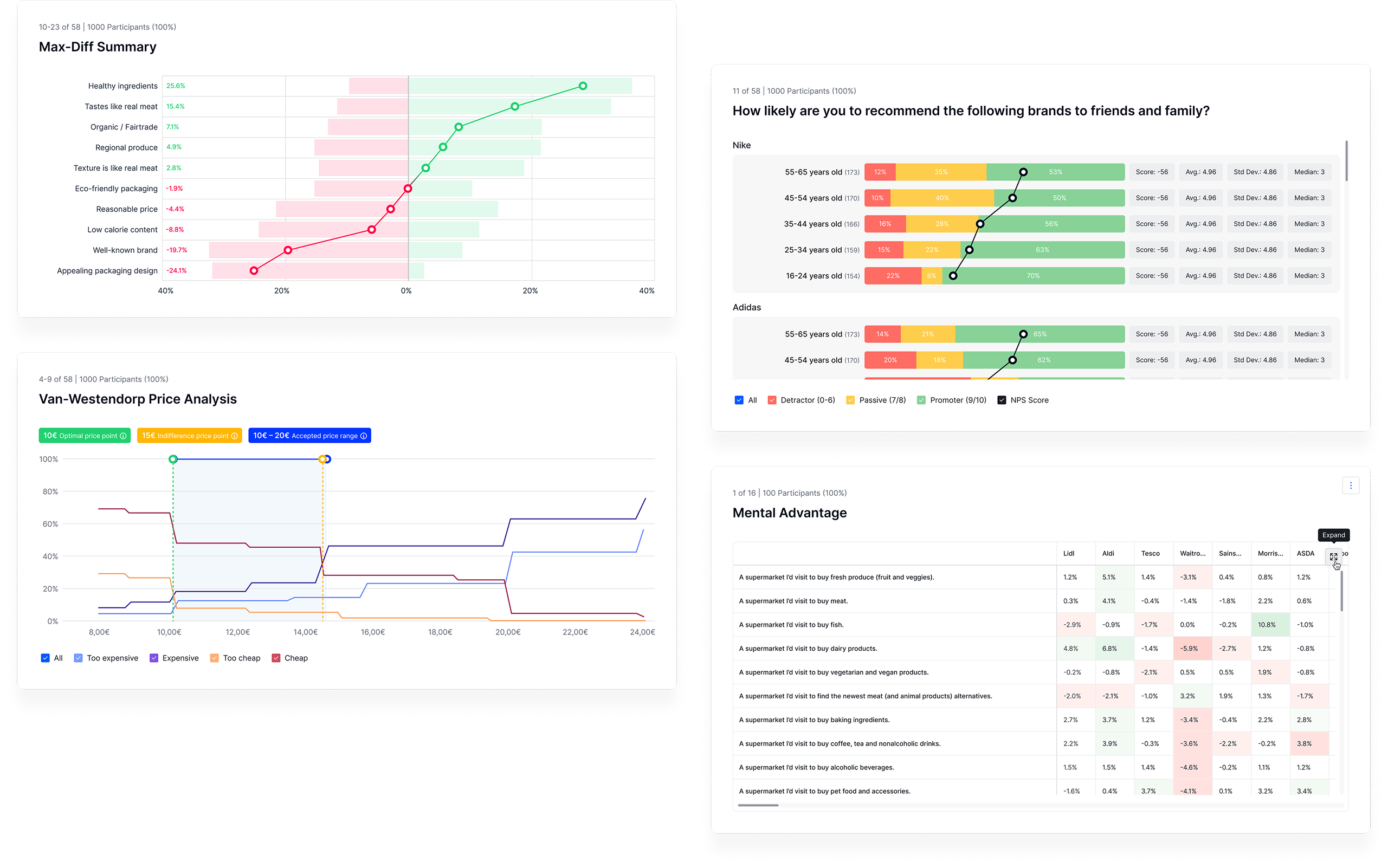
Appinio supports a growing set of question types, research methods, and ways to filter and split results – Max-Diff, Van Westendorp pricing analysis, NPS, and more. Most users aren't researchers, so every visualization has to explain itself – accurate and understandable on its own. Every new method or question type means designing a new one.
Filtering with complex logic
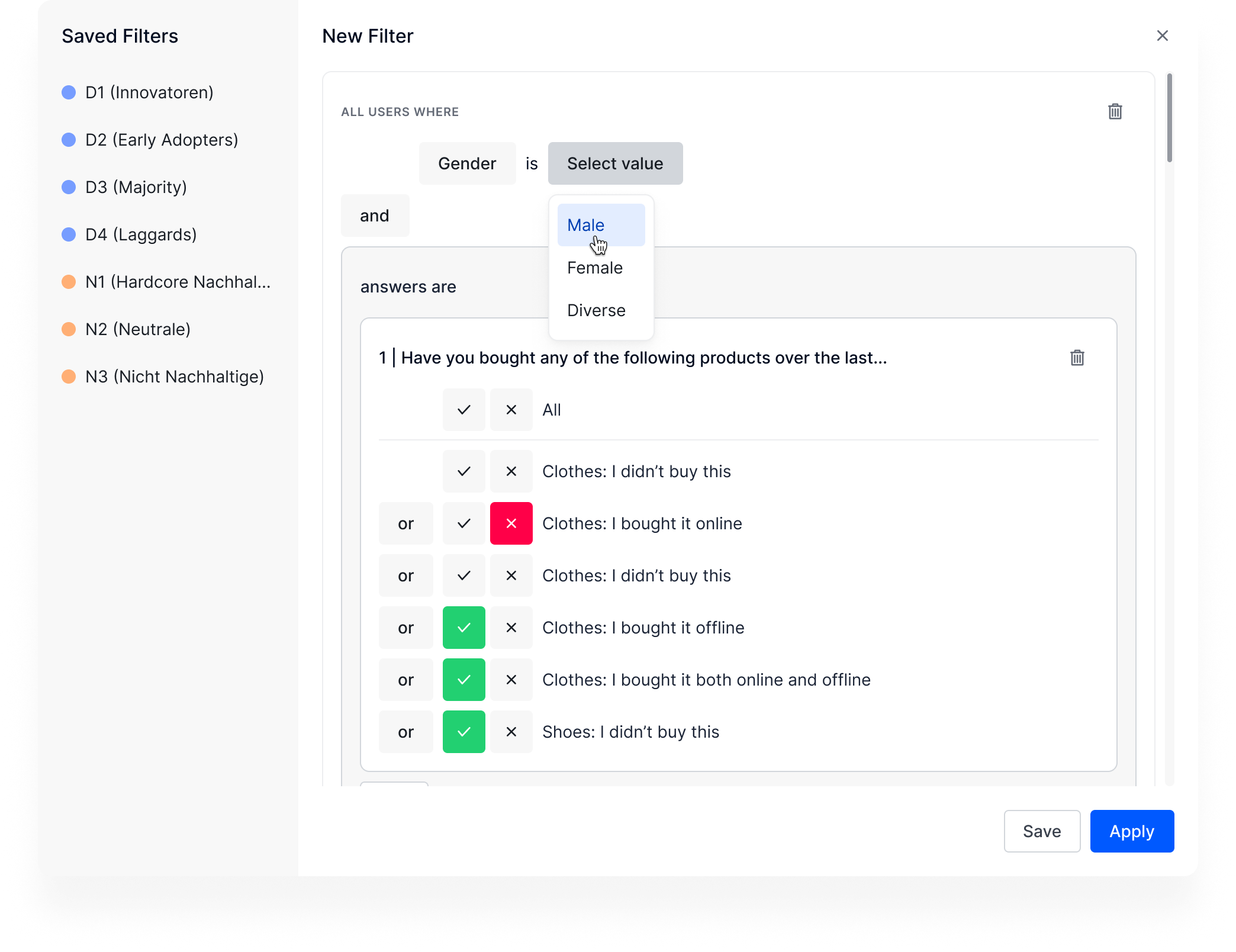
Filtering used to be very basic – everything connected with either AND or OR, in a single layer. That worked for simple surveys, but broke down fast for anything more complex. We rebuilt filtering to support nested groups, so users can combine AND and OR logic within logic, without needing to think like a database.
Turning raw results into a story
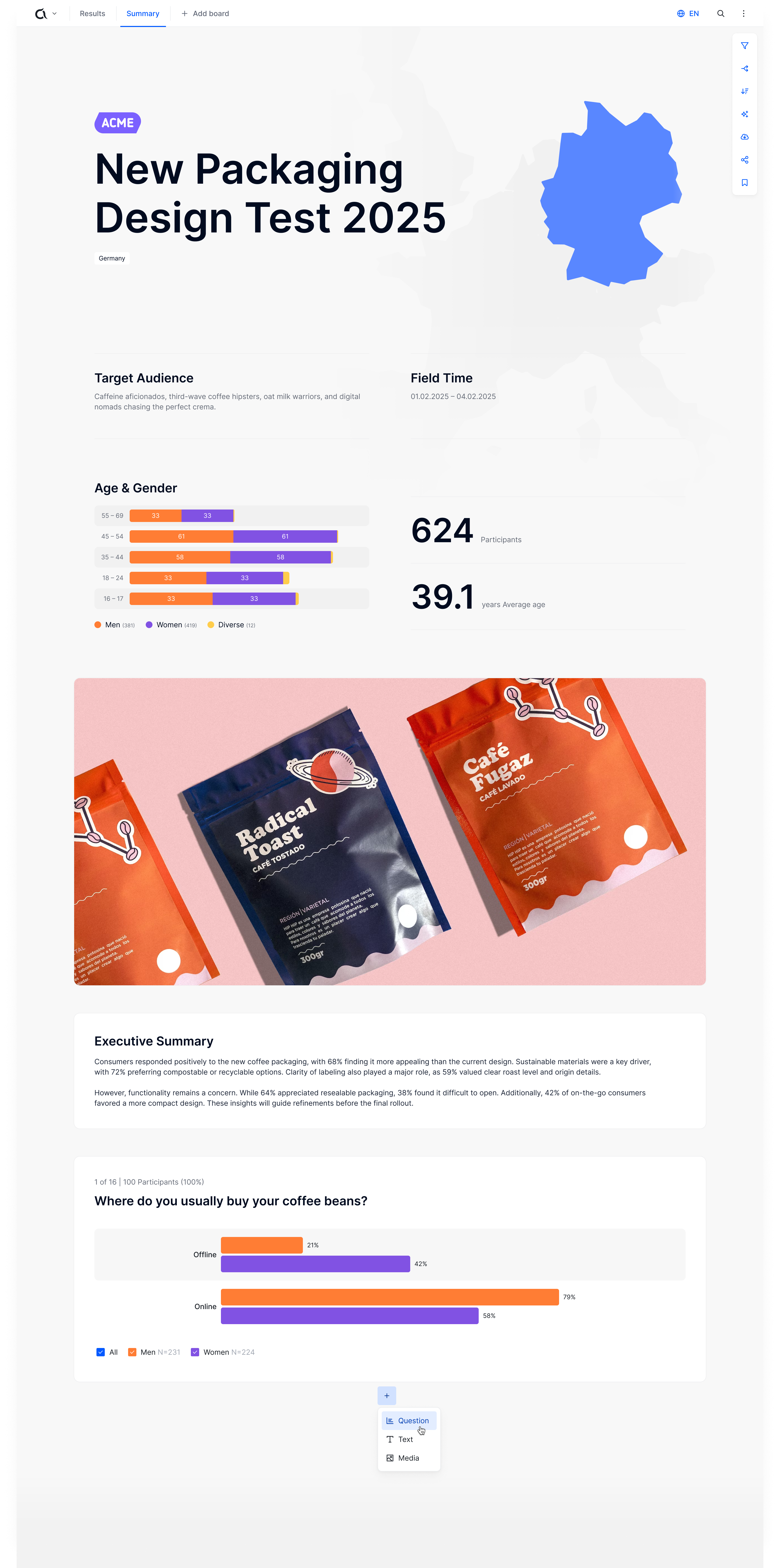
Filtering and splitting survey results is powerful, but it assumes the person looking at them wants to dig through data themselves. Not everyone does – a stakeholder often just wants the takeaway. With Boards, users can build custom storylines from their results: choosing which questions to show, with which filters and splits applied, and adding text cards for context or an executive summary, and media cards for supporting visuals. It turns a set of results into something you can actually hand off and have understood on its own.
Designing trust into an AI-powered chat
In 2026, we shipped Appinio Conversations, an entirely new product that lets users chat with AI personas to stress-test ideas before running a full study. The challenge was making it feel as easy as messaging a friend, while proving it's backed by real methodology, not just a chatbot guessing. Personas are built on psychographics developed with Cronbach, socio-demographics from Appinio's own research data, and real past consumer behavior – not invented traits. Users can chat with pre-built personas, or work with our research experts to set up custom ones for their exact audience.
The research is only as good as the participants' answers
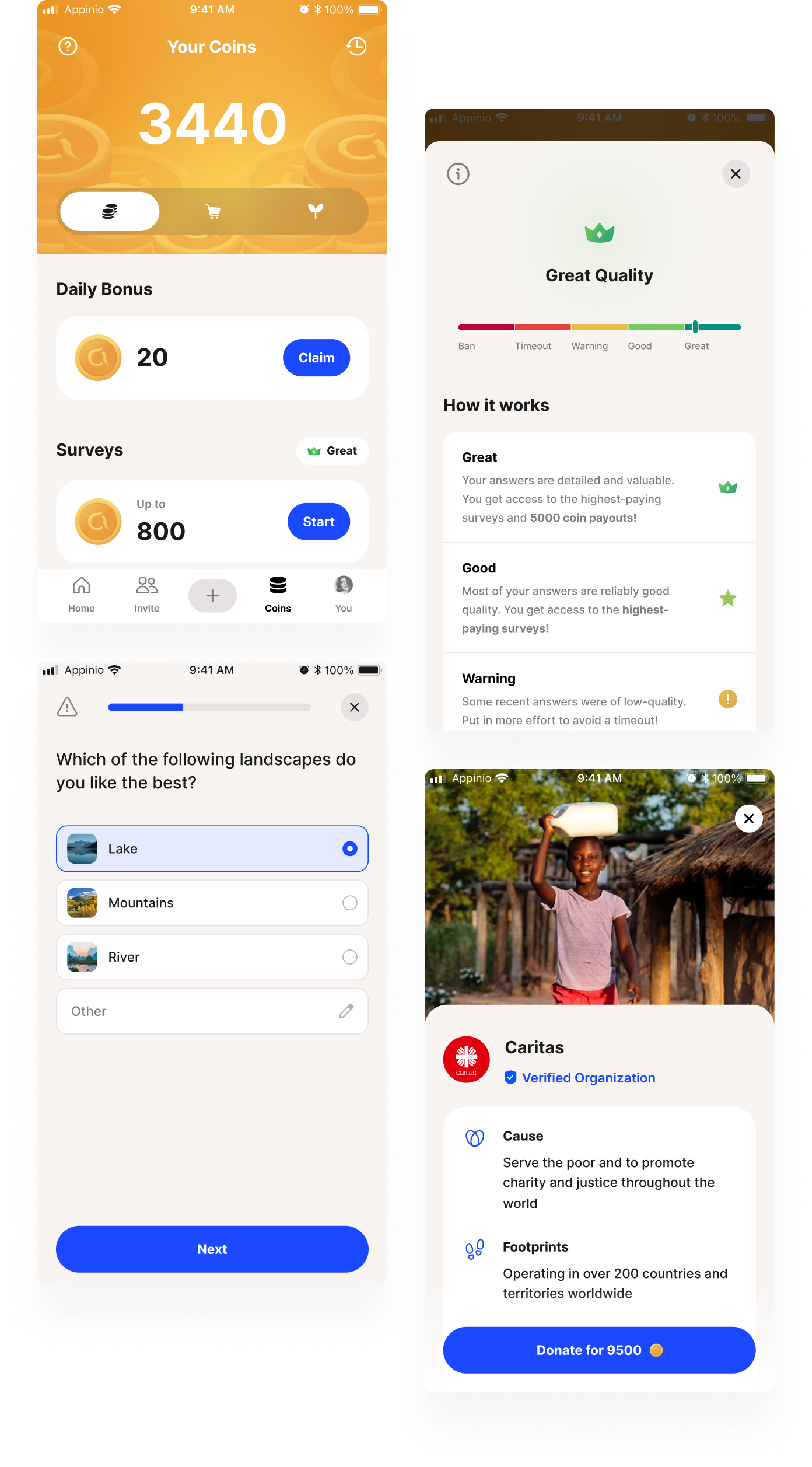
Good survey data depends on people actually answering thoughtfully. We built the Panel App around that: coins and daily bonuses reward participation, and a quality scoring system – from Warning to Good to Great – rewards thoughtful answers with better-paying surveys, with lower scores leading to timeouts or, eventually, a ban.
Giving people a reason to open the app, even between surveys
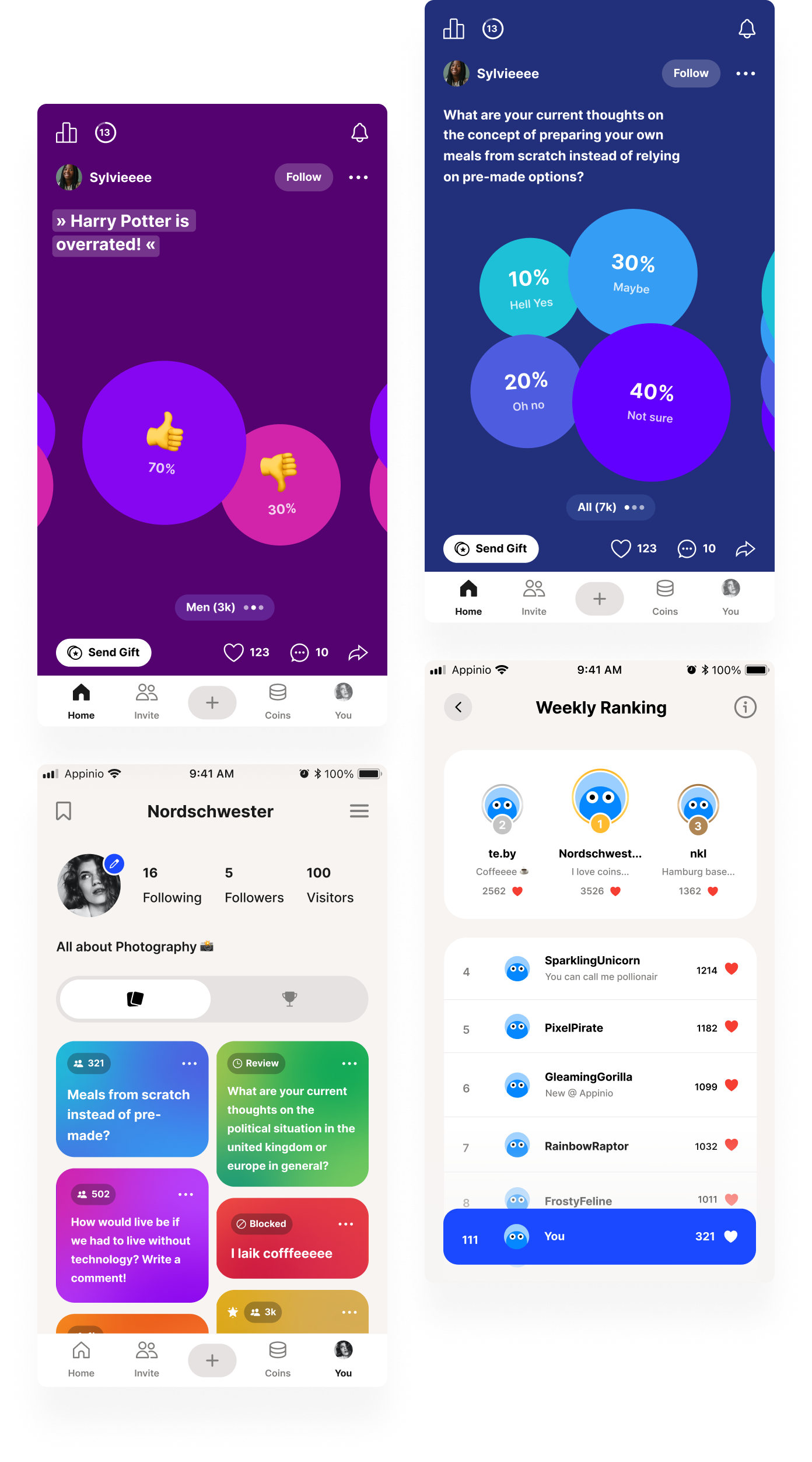
Rewards keep people coming back when there's a survey to take, but we wanted a reason to stay engaged even when there isn't one. So we added ways for respondents to interact with each other beyond the surveys themselves – engaging polls to react to and comment on, following other users, sending gifts, and a weekly ranking for a bit of friendly competition.
Redesigning the website to match where the brand had grown
By 2025, Appinio's website hadn't kept up with the company – visually outdated, and no longer telling the right story or structured the way the brand needed. I led the visual direction and built the design system and components the new site is built on.